Business Website
Build a multi-page responsive website for a local business with contact forms and Google Maps integration.
- WordPress
- Elementor
- Responsive


Digital Marketing · Beginner
Build fast, secure, SEO-ready business websites with WordPress, Elementor, WooCommerce and custom themes, and launch them on real hosting.
Eligibility: 12th pass or above; basic computer skills
4.9/5 from 750+ Google reviews
A WordPress Course is designed to help learners understand how websites are created, managed, customized, and maintained using WordPress, one of the widely used content management systems for website development. The course can be useful for learners who want practical website-building skills without beginning with advanced programming concepts.
Learners can explore essential areas such as WordPress installation and setup, website structure, themes, plugins, pages, posts, menus, media management, basic customization, responsive design, forms, website security, SEO fundamentals, and website maintenance. Depending on the learning path, learners may also work with popular website-building tools and e-commerce functionality.
The course can benefit graduates, working professionals, freelancers, business owners, and career changers who want to develop websites or add website-management skills to their existing profile.
For learners in Punjab, classroom learning can be considered at the Techcadd Jalandhar centre, while students outside the region can explore online learning options.
Why learn it now
Open any module to see exactly what you will learn. Every module ends with hands-on practice reviewed by your mentor.
Concepts become skills only when you use them. Each week follows the same three steps.
Short concept sessions with live demos — every idea is shown before it is practised.
Hands-on labs and a project at the end of every module, reviewed by your mentor.
Explain your work in weekly demos — the same way you will in interviews.
You practise on the same tools teams use every day — the ones interviewers ask about.
6 guided projects — each one reviewed by your mentor and ready to show in interviews.
A WordPress course is not limited to students from a particular academic background. Since WordPress is widely used for creating and managing websites, the skill can be relevant to people with different educational and professional profiles.
Graduates from business, commerce, management, arts, computer-related, or other backgrounds can consider WordPress as a practical digital skill. It can help them understand how websites work and provide an additional capability alongside their academic qualification.
Postgraduates who want to develop a practical technology-related skill can use WordPress training to complement their existing education. For management or business graduates, for example, website knowledge can be useful when working with digital businesses, agencies, marketing teams, or online ventures.
Professionals can learn WordPress to expand their existing responsibilities. Someone working in marketing, sales, communications, administration, content, or business operations may benefit from understanding how to update website content, create pages, manage basic website elements, and collaborate more effectively with web teams.
For people considering a career change, WordPress can provide an accessible introduction to website development and content management. It can be particularly useful for learners who want to move toward web-related roles without immediately starting with complex programming.
Freelancers can use WordPress skills to develop websites for clients, maintain existing websites, create landing pages, manage content, or provide website-related services. Their opportunities will depend on their practical skills, portfolio, communication abilities, and ability to understand client requirements.
Small-business owners and entrepreneurs can benefit from understanding WordPress because it gives them greater familiarity with their own website. They can learn how website pages, content, forms, images, plugins, and basic SEO elements work instead of depending entirely on others for every small update.
People moving from non-technical backgrounds can consider WordPress as a practical starting point. The visual nature of many WordPress workflows makes it possible to begin understanding website creation before progressing into more technical web-development concepts.
WordPress can be suitable for beginners because learners can start with fundamental website concepts and gradually move toward customization and more advanced website management.
Students who have completed 12th standard and are interested in websites, digital businesses, or freelancing can also explore WordPress. However, the course should be viewed as a skill-development pathway rather than a replacement for formal higher education.
What you need: No particular programming specialization is required to begin learning the basic WordPress workflow, although technical knowledge can become useful as learners progress.
Check My EligibilityLearners outside Punjab can explore online learning, while those who prefer classroom training can enquire about the Jalandhar centre.
Punjab has a mix of businesses, exporters, manufacturers, service providers, startups, and small enterprises that increasingly depend on an online presence. Learners from Jalandhar, Ludhiana, Amritsar, Mohali, Patiala, and surrounding areas can develop WordPress skills for website-related employment, freelance work, or supporting local businesses.
For learners from Gurugram, Faridabad, Panchkula, Ambala, and Karnal, WordPress can complement opportunities connected with IT services, e-commerce, logistics, automobile businesses, and corporate organizations. Online learning can be particularly useful for working learners who need flexibility.
Students and professionals from Shimla, Dharamshala, and Solan can explore WordPress for website projects connected with tourism, hospitality, local businesses, education, and remote work. The ability to work online can also make the skill relevant for learners who want location-independent opportunities.
Chandigarh learners may find WordPress useful alongside digital marketing, content, IT, BPO, education, and startup-related skills. Learning website creation can help professionals understand the practical side of maintaining an organization's online presence.
Delhi, Noida, and Ghaziabad have a broad ecosystem of agencies, technology companies, e-commerce businesses, media organizations, and startups. WordPress training can therefore complement learners interested in website management, digital agencies, content operations, and freelance web projects.
Learners from Jammu and Srinagar can explore WordPress for businesses and organizations working in tourism, handicrafts, horticulture, retail, and e-commerce. Online learning also gives learners the option to develop the skill without needing to relocate for training.
For learners in Dehradun and Haridwar, WordPress can be relevant to tourism, hospitality, education, pharma-related businesses, local services, and online ventures. Website skills can also support professionals who want to work with remote clients.
Learners from Jaipur and surrounding areas can apply WordPress skills to websites associated with tourism, jewellery, handicrafts, textiles, retail, and small businesses. The skill can be particularly useful when combined with content, branding, or digital marketing knowledge.
Learners from Lucknow, Meerut, Noida, and other parts of Uttar Pradesh can explore WordPress alongside opportunities in IT, retail, electronics, education, and digital services. Online learning can make the course accessible to learners who are not located near a physical training centre.
Our placement team helps you target these roles with resume reviews, mock interviews and referrals.
Builds and customises WordPress sites, themes and plugins.
Who hires: Web agencies, software companies and in-house digital teams
Designs and builds responsive sites using page builders.
Who hires: Digital agencies, design studios and startups
Sets up and manages online stores, payments and shipping.
Who hires: E-commerce agencies and small and medium retail businesses
Handles updates, backups, speed and security for client sites.
Who hires: Hosting companies, agencies and managed service providers
Delivers websites and maintenance plans directly to business clients.
Who hires: Self-employed work with local businesses, exporters and overseas clients
Every batch is led by a senior mentor and supported by teaching assistants, so doubts are cleared the same day.
Performance Marketing Mentor
Has managed ad accounts and SEO for brands, colleges and e-commerce stores across North India. Students work on live campaigns with real budgets, not just theory.
Overall, the WordPress Course can be a practical choice for learners who want to understand website creation, develop a demonstrable digital skill, and explore employment, freelance, business, or career-transition opportunities around the web ecosystem.
WordPress training focuses on an actual digital platform used to create and manage websites. Learners can move beyond theoretical concepts by understanding how a website is structured and how its different components work together.
One attraction of WordPress is that beginners can start working with websites without first becoming advanced programmers. Learners can understand themes, pages, plugins, content, layouts, menus, and other website components before gradually exploring more technical concepts.
WordPress can complement careers in digital marketing, content management, communications, entrepreneurship, web services, and freelancing. A learner does not necessarily have to pursue a purely web-development career to benefit from the skill.
A major part of WordPress learning involves understanding how website appearance and functionality can be customized. Learners can explore themes, layouts, menus, widgets or blocks, media, forms, and other website components to create a more functional online presence.
Plugins extend WordPress websites by adding different capabilities. Understanding how plugins are selected, configured, updated, and managed can help learners handle common website requirements more confidently.
Practical website projects can become valuable portfolio pieces. Instead of simply stating that they know WordPress, learners can demonstrate websites or website components they have created and explain the decisions behind them.
WordPress can be relevant to freelance services such as website creation, content updates, landing-page development, website maintenance, and basic website management. Freelancing success depends on portfolio quality, communication, pricing, client acquisition, and service quality.
A website is an important part of many digital marketing strategies. Someone who understands both WordPress and digital marketing can better connect website content, landing pages, calls to action, basic SEO practices, forms, and user experience.
WordPress can also act as a stepping stone toward broader web technologies. After becoming comfortable with website structure and customization, learners may choose to explore HTML, CSS, JavaScript, PHP, hosting, databases, or more advanced web-development concepts.
Businesses frequently need websites that can be updated as their products, services, offers, content, and business information change. Understanding WordPress can therefore be useful for people who want to work with small businesses, agencies, entrepreneurs, or their own online projects.
For someone moving from a non-technical field, WordPress can provide a practical entry point into website-related work. Learners can begin with fundamental concepts and build complexity gradually rather than attempting to master an entire programming stack immediately.
The strongest career value often comes from combining WordPress with complementary skills such as SEO, content creation, digital marketing, graphic design, analytics, or social media. This combination can broaden the type of projects a learner can handle.
Since 2007, we have trained students across North India the practical way.
Taught by working professionals, not just trainers.
Personal attention and same-day doubt support.
Real client-style projects for a portfolio that stands out.
Resume, mock interviews and referrals to 500+ partners.
Weekday, weekend and live online options.
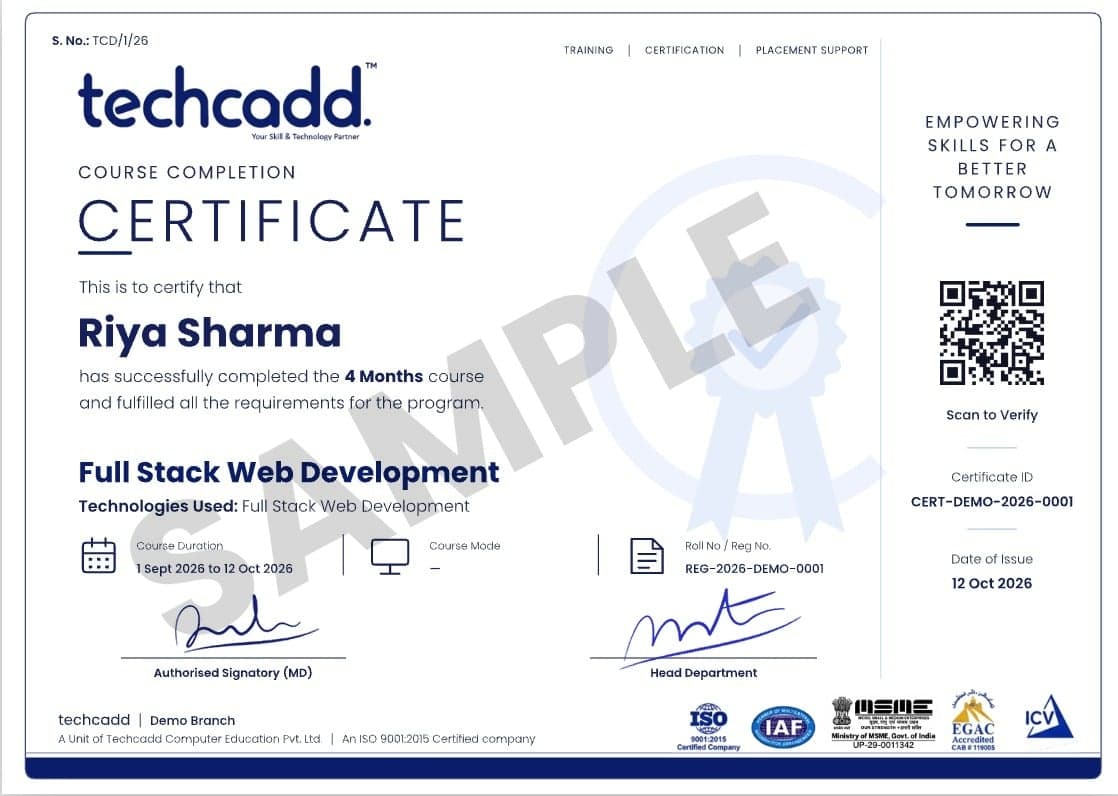
Online-verifiable certificate with your projects listed.
| What matters | TechCADD | Typical institute |
|---|---|---|
| Learning style | 80% practical labs & projects | Mostly theory & slides |
| Mentors | Working industry professionals | Full-time trainers only |
| Batch size | Small batches, 1:1 reviews | Large classrooms |
| Projects | Live, portfolio-ready projects | Copy-paste sample projects |
| Placement | Resume, mock interviews & referrals | Job list shared on request |
| After the course | Lifetime alumni community & refreshers | Support ends with the course |
Learn WordPress as a certificate course, as university industrial training, or as a longer job-ready diploma.
| Feature | Certificate Course | Industrial TrainingMost chosen | Job-Ready Diploma |
|---|---|---|---|
| Typical duration | 2–3 Months | 6 weeks – 6 months | 9 – 12 months |
| Full course curriculum | |||
| Module projects | |||
| Live industry project | Not included | ||
| University training report & letter | Not included | ||
| Advanced specialisation modules | Not included | Not included | |
| Placement assistance | |||
| Internship with experience letter | Not included | Not included |
Weekday Morning
Mon – Fri · 9:00 – 11:00 AM
ClassroomWeekday Evening
Mon – Fri · 5:00 – 7:00 PM
ClassroomWeekend
Sat – Sun · 10:00 AM – 1:00 PM
Classroom + LiveLive Online
Mon – Fri · 8:00 – 9:30 PM
Live onlineNot sure which track or batch suits you? A counsellor will help you decide.Ask a Counsellor
Your certificate lists your modules and projects, and our placement team works with you until you land the role.
Rated 4.9/5 by 750+ students on Google.
Straight answers on eligibility, batches, certification and placements.
Still have a question?
Counsellors are available Mon – Sat: 9:00 AM – 7:00 PM.
A WordPress Course teaches learners how to create, customize, manage, optimize, and maintain websites using WordPress and related website tools.
Graduates, postgraduates, working professionals, freelancers, business owners, career changers, beginners, and suitable 12th-pass students can consider learning WordPress, depending on their goals.
Yes, WordPress can be suitable for beginners because its fundamental website-building workflow can be learned without requiring advanced programming knowledge at the starting level.
A typical syllabus can cover WordPress setup, dashboard management, pages and posts, themes, plugins, website customization, responsive design, forms, basic SEO, security, maintenance, and website performance.
The learning duration depends on the course structure and depth of training. Basic WordPress skills can be learned progressively, while becoming proficient in advanced customization and web development requires additional practice.
WordPress course fees vary according to the training provider, course duration, curriculum, learning mode, and level of practical training. Learners should confirm the current fee directly with the institute before enrolling.
Yes, WordPress can be learned online through live instruction, demonstrations, practical exercises, and website projects, making it accessible to learners who cannot attend classroom training.
Yes, learners who prefer classroom-based training can explore offline learning options at the Techcadd centre in Jalandhar, Punjab, subject to the availability of the specific course or batch.
No, advanced coding knowledge is not necessary to begin learning WordPress; however, HTML, CSS, JavaScript, or PHP knowledge can become valuable when learners move toward deeper customization and development.
Depending on practical ability and additional skills, learners can explore roles such as WordPress Developer, Website Designer, CMS Executive, Website Manager, Web Content Manager, WordPress Administrator, or Junior Web Developer.
Yes, WordPress can support freelance services such as website creation, landing-page development, theme customization, content updates, website maintenance, and basic website optimization.
WordPress learners may work with the WordPress CMS, themes, plugins, website builders, hosting platforms, domain management tools, HTML, CSS, SEO tools, Google Analytics, and Google Search Console, depending on the course curriculum.
WordPress-related salaries vary significantly according to job role, experience, technical skills, location, employer, and portfolio. A course itself does not guarantee a particular salary.
WordPress can lead toward website development, website management, CMS operations, freelance services, digital agency work, content management, and further web-development specialization.
Yes, learners from Himachal Pradesh can consider online WordPress training, allowing students in locations such as Shimla, Dharamshala, and Solan to learn without needing to relocate.
Punjab and Haryana learners can explore WordPress-related opportunities with digital agencies, small businesses, e-commerce companies, IT services, corporate organizations, and freelance clients, particularly when WordPress is combined with complementary digital skills.
Yes, students from Rajasthan can learn WordPress online and develop website skills that may be useful for local businesses, tourism, retail, handicrafts, jewellery, textiles, and freelance projects.
Yes, WordPress can be suitable for learners from Uttar Pradesh who are interested in website creation, digital services, freelancing, or web-related career paths, including learners from cities such as Lucknow and Meerut.
Turn your interest in websites into a practical digital skill with the WordPress Course at Techcadd. Learn the fundamentals of WordPress, website creation, themes, plugins, customization, responsive design, basic SEO, website management, and maintenance. Course details, availability, and fee structure should be confirmed with Techcadd before enrolment. No job or salary outcome is guaranteed.