Skip to content

Programming · Beginner

IT Foundation Programme in Jalandhar

A beginner-friendly programme covering computer basics, office tools, programming logic, web basics and career skills to start your IT journey.

  • 2–3 Months
  • Beginner
  • Classroom + Live Online
  • 6 portfolio projects

Eligibility: 10+2 pass or appearing; no technical background needed

4.9/5 from 750+ Google reviews

Students trained
50,000+
Google rating
4.9/5
Practical learning
80%
Hiring partners
500+
Course Overview

What the IT Foundation Programme course covers

The IT Foundation Programme is designed for students who are new to computers or unsure which IT career path to choose. It builds confident, practical skills in computer operation, office productivity, internet safety, programming logic and web basics.

By the end, you will have tried coding, web design, databases and digital tools, which helps you select a specialised course with clarity. It is also useful for school leavers, homemakers returning to work and professionals who want a solid digital base.

Why learn it now

  • Digital skills are now expected in almost every job, from accounts to retail, so a strong foundation helps whatever career you choose.
  • A short foundation programme lets you try coding, design and data before committing to a longer specialised course.
Syllabus

Your module-by-module roadmap

Open any module to see exactly what you will learn. Every module ends with hands-on practice reviewed by your mentor.

Modules
8
Topics
40
Projects
6
Get the Full Syllabus PDF on WhatsApp (opens in a new tab)
  1. Module 1Computer FundamentalsLearn how computers work and use them with ease.
    • Hardware, software, operating systems and file management
    • Windows settings, shortcuts and troubleshooting basics
    • Typing skills and productivity habits
    • Installing and managing applications
    • Introduction to Linux and mobile operating systems
  2. Module 2Internet, Email and Cyber SafetyWork online with confidence and protect yourself.
    • Browsers, search techniques and evaluating sources
    • Email, video meetings and cloud storage
    • Passwords, two-factor authentication and phishing awareness
    • Safe use of UPI and online payments
    • Digital etiquette and privacy settings
  3. Module 3Office Productivity ToolsPrepare documents, data and presentations professionally.
    • Word or Google Docs: formatting, tables and mail merge
    • Excel or Google Sheets: formulas, charts and sorting
    • Pivot tables, VLOOKUP and XLOOKUP basics
    • PowerPoint or Google Slides design principles
    • Collaborating and sharing files online
  4. Module 4Programming Logic with PythonUnderstand how software thinks and write simple programs.
    • Algorithms, flowcharts and problem solving
    • Variables, data types and operators
    • Conditions and loops
    • Lists and functions
    • Building small utility programs
  5. Module 5Web BasicsCreate and publish a simple web page.
    • How websites, domains and hosting work
    • HTML structure, links, images and forms
    • CSS basics for colour, fonts and layout
    • Using a website builder and Canva for design
    • Publishing a page online
  6. Module 6Databases and Data LiteracyLearn how information is stored and turned into insight.
    • Tables, records and relationships
    • Basic SQL queries
    • Cleaning and organising data in spreadsheets
    • Introduction to charts and dashboards
    • How AI tools and assistants can help with everyday tasks
  7. Module 7Career Exploration and Professional SkillsDiscover which IT field suits you and prepare for it.
    • Overview of IT careers: development, data, design, marketing and security
    • Demo sessions with mentors from each track
    • Communication skills and email writing
    • Creating a resume and LinkedIn profile
    • Planning your learning path and next course
  8. Module 8Capstone Mini Project and AssessmentBring your new skills together in one project and review your progress.
    • Planning a mini project such as a personal or small-business website
    • Data entry and reporting in a spreadsheet with charts
    • Presenting your project to the batch
    • Skills assessment and mentor review session
    • Mock interview basics and course selection counselling
How You Learn

One simple loop, every single week

Concepts become skills only when you use them. Each week follows the same three steps.

  1. Step 1: Understand

    Short concept sessions with live demos — every idea is shown before it is practised.

  2. Step 2: Build

    Hands-on labs and a project at the end of every module, reviewed by your mentor.

  3. Step 3: Present

    Explain your work in weekly demos — the same way you will in interviews.

Tools & Technologies

Hands-on with 10 industry tools

You practise on the same tools teams use every day — the ones interviewers ask about.

  • Windows
  • Microsoft Office
  • Google Workspace
  • Python
  • HTML & CSS
  • VS Code
  • SQL basics
  • Canva
  • Chrome
  • AI assistants
Portfolio Projects

Build a portfolio that gets you shortlisted

6 guided projects — each one reviewed by your mentor and ready to show in interviews.

  • Personal Digital Resume Website

    A simple web page with your profile, skills and contact details, published online.

    • HTML
    • CSS
    • Publishing
  • Monthly Budget Tracker

    A spreadsheet with formulas, charts and a summary page for household or shop accounts.

    • Excel
    • Formulas
    • Charts
  • Business Presentation

    A professional slide deck introducing a local business idea with clean design.

    • PowerPoint
    • Design
    • Communication
  • Number and Text Utility Programs

    A set of small Python programs such as a calculator, unit converter and quiz game.

    • Python
    • Logic
    • Loops
  • Student or Customer Contact Database

    Design a small table structure and run basic queries to find and sort records.

    • SQL
    • Tables
    • Queries
  • Cyber Safety Awareness Poster and Guide

    Create a Canva poster and short guide on phishing and safe online payments for family or colleagues.

    • Canva
    • Security
    • Research
Who Can Join

Made for where you are today

Whether you are starting fresh or levelling up, there is a batch and a pace that fits.

  • 10+2 & fresh graduates

    Start from zero and build a coding foundation employers trust.

  • B.Tech, BCA & MCA students

    Turn theory into projects for placements and industrial training.

  • Career switchers

    Move into software from any background with guided, step-by-step labs.

  • Freelancers & founders

    Build and ship your own products and client websites.

Eligibility: 10+2 pass or appearing; no technical background needed

Check My Eligibility
Career Scope

Roles you can apply for

Our placement team helps you target these roles with resume reviews, mock interviews and referrals.

  • Computer Operator / Data Entry Executive

    Handles data, documents and records for offices.

    Who hires: Offices, schools, hospitals and small businesses

  • Office Administrator (Digital)

    Manages spreadsheets, email, scheduling and reports.

    Who hires: Companies, exporters and service firms

  • IT Support Trainee

    Helps users with computers, software and basic troubleshooting.

    Who hires: IT services companies and BPO centres

  • Junior Programmer (after further training)

    Progresses to coding roles after a specialised course.

    Who hires: Software companies and startups

Your Mentor

Learn from people who do the work

Every batch is led by a senior mentor and supported by teaching assistants, so doubts are cleared the same day.

Rajat Malhotra

Senior Full-Stack Mentor

Has built web platforms for startups and export businesses across Punjab. Teaches with live coding and code reviews, so students learn how real teams write, test and ship software.

  • JavaScript & TypeScript
  • React & Node.js
  • Python
  • Java
  • System design
Industry experience
10+ years
Students mentored
3,000+
Doubt support
Same day
Why TechCADD

Training that feels like your first job

Since 2007, we have trained students across North India the practical way.

  • Industry mentors

    Taught by working professionals, not just trainers.

  • Small batches

    Personal attention and same-day doubt support.

  • Live projects

    Real client-style projects for a portfolio that stands out.

  • Placement support

    Resume, mock interviews and referrals to 500+ partners.

  • Flexible batches

    Weekday, weekend and live online options.

  • Verifiable certificate

    Online-verifiable certificate with your projects listed.

TechCADD vs a typical institute
What mattersTechCADDTypical institute
Learning style80% practical labs & projectsMostly theory & slides
MentorsWorking industry professionalsFull-time trainers only
Batch sizeSmall batches, 1:1 reviewsLarge classrooms
ProjectsLive, portfolio-ready projectsCopy-paste sample projects
PlacementResume, mock interviews & referralsJob list shared on request
After the courseLifetime alumni community & refreshersSupport ends with the course
Duration, Mode & Batches

Choose the track that fits you

Learn IT Foundation Programme as a certificate course, as university industrial training, or as a longer job-ready diploma.

Compare learning tracks for the IT Foundation Programme
FeatureCertificate CourseIndustrial TrainingMost chosenJob-Ready Diploma
Typical duration2–3 Months6 weeks – 6 months9 – 12 months
Full course curriculumIncludedIncludedIncluded
Module projectsIncludedIncludedIncluded
Live industry projectNot includedIncludedIncluded
University training report & letterNot includedIncludedIncluded
Advanced specialisation modulesNot includedNot includedIncluded
Placement assistanceIncludedIncludedIncluded
Internship with experience letterNot includedNot includedIncluded

Batch timings

  • Weekday Morning

    Mon – Fri · 9:00 – 11:00 AM

    Classroom
  • Weekday Evening

    Mon – Fri · 5:00 – 7:00 PM

    Classroom
  • Weekend

    Sat – Sun · 10:00 AM – 1:00 PM

    Classroom + Live
  • Live Online

    Mon – Fri · 8:00 – 9:30 PM

    Live online

Not sure which track or batch suits you? A counsellor will help you decide.Ask a Counsellor

Certification & Placement

Finish with proof employers can verify

Your certificate lists your modules and projects, and our placement team works with you until you land the role.
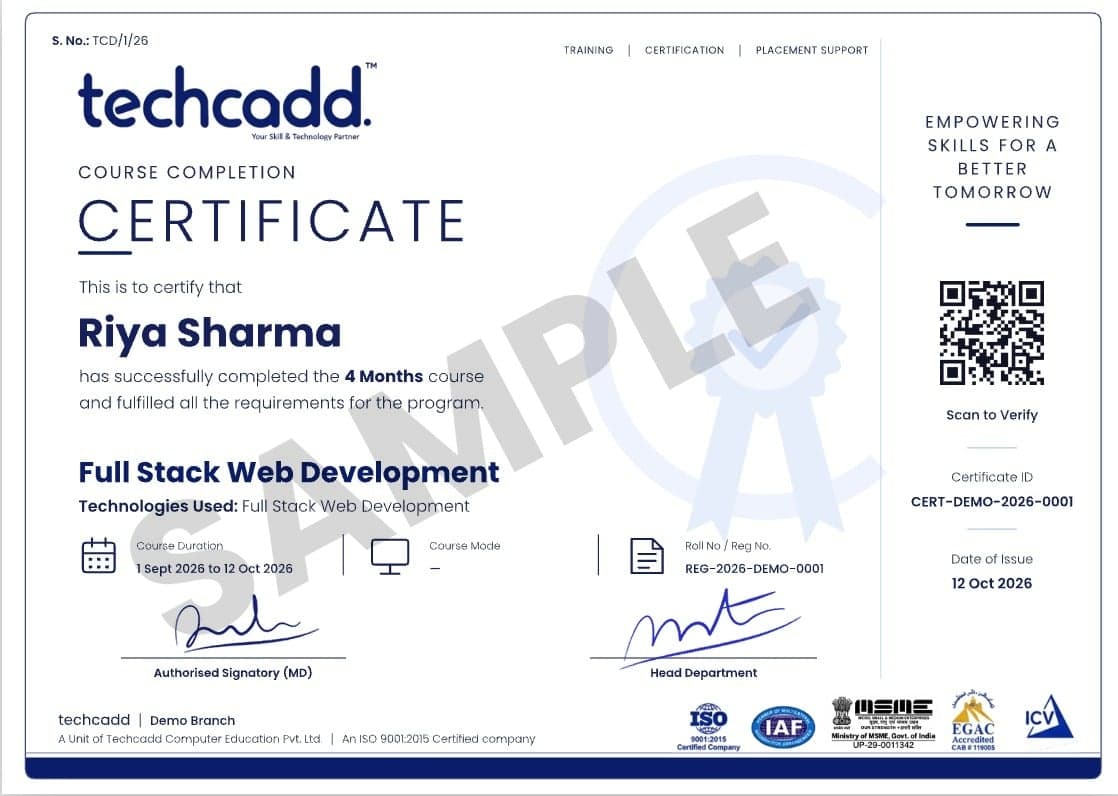
  • Verifiable online with a unique certificate ID
  • Lists your modules, projects and grade
  • Accepted for university industrial training credit
  • Add to LinkedIn in one click
Sample TechCADD course completion certificate
Student Reviews

Heard from our alumni

Rated 4.9/5 by 750+ students on Google.

  • “The MERN course was completely project-based. By the end I had 5 live projects in my portfolio and got placed at a Mohali IT company within a month.”

    Harpreet Kaur

    Frontend Developer · Jalandhar

  • “Mentors explained every concept with real business data. The Power BI dashboards I built during training were exactly what my interviewer asked about.”

    Arjun Sharma

    Data Analyst · Ludhiana

  • “Hands-on labs for ethical hacking were amazing. The faculty helped me prepare for certifications and interviews step by step.”

    Simranjeet Singh

    Cybersecurity Intern · Amritsar

  • “I joined after 12th with zero knowledge. Now I run ad campaigns for three clients. The AI marketing tools module was a game-changer.”

    Neha Thakur

    Digital Marketer · Hoshiarpur

  • “My 6-month industrial training was the best decision of my degree. Real projects, proper guidance and a strong certificate for my university.”

    Rohit Verma

    B.Tech Industrial Trainee · Phagwara

  • “The design course pushed me to build a real portfolio. Weekly feedback sessions made a huge difference to my confidence.”

    Ananya Gupta

    UI/UX Designer · Chandigarh

FAQs

Questions about IT Foundation Programme?

Straight answers on eligibility, batches, certification and placements.

Still have a question?

Counsellors are available Mon – Sat: 9:00 AM – 7:00 PM.

I have never used a computer much. Can I join?

Yes. The programme is designed for complete beginners and starts with basic computer operation at a comfortable pace.

Which course should I take after the IT Foundation Programme?

It depends on your interests. Options include Python, Web Designing, Data Analytics or Digital Marketing. A mentor counselling session at the end helps you decide.

Will I learn AI tools in this programme?

You learn to use AI assistants safely and effectively for writing, research and everyday tasks. Building AI systems is covered in our dedicated AI courses.

Is the programme suitable for school students?

Yes, students who have completed 10+2 or are appearing for it can join. It gives them a head start before choosing a degree or specialisation.

Do you provide placement assistance?

Yes. Every course includes placement assistance — resume and portfolio reviews, mock interviews and referrals through our 500+ hiring partners across North India.

Can I attend a free demo class first?

Yes. Book a free demo with the form on this page or call us. You can attend at any branch or join a live online class.

How do I get fee and scholarship details?

Book a free counselling session or message us on WhatsApp. A counsellor will share the current fee, EMI options and scholarships for your batch.

Start your IT Foundation Programme journey this month.

Book a free demo class, meet your mentor and get a personalised learning plan — no commitment.

  • Free 1:1 career counselling
  • Attend a live class before you enrol
  • Weekday, weekend & online batches
  • Placement support until you're hired
Prefer to talk? Call a counsellor+91 98881 22254

Book your free demo class

A counsellor will call you within 24 hours.

100% free · No spam · Your details stay private

Tell us your goal. We'll code it into reality.

A counsellor calls you back the same working day.