Skip to content

Digital Marketing · Beginner

UI/UX Design Course in India

Learn to research users, plan journeys, build wireframes, create high-fidelity interfaces in Figma and test prototypes, the same workflow product teams use.

  • Duration on enquiry
  • Beginner
  • Classroom + Live Online

Eligibility: Basic computer skills; no design degree or coding knowledge required

4.9/5 from 750+ Google reviews

Students trained
50,000+
Google rating
4.9/5
Practical learning
80%
Hiring partners
500+
Program Overview

techcadd UI/UX Design Course: Learn to Design Products People Love

The UI/UX design course at techcadd is built for graduates, working professionals, job switchers, freelancers and business owners who want to enter one of India's fastest-growing digital careers. You learn how to research users, plan journeys, build wireframes, create high-fidelity interfaces in Figma and test prototypes, the same workflow product teams use at startups, agencies and IT companies.

This UI/UX design course in India is designed around practical, portfolio-first learning. Instead of only theory, you work on real mobile app and website projects, learn design thinking, usability principles and design systems, and finish with case studies you can show to recruiters or clients. No prior design background is required; beginners start from fundamentals, and working designers can sharpen their skills.

Students across Punjab, from Ludhiana and Amritsar to Mohali, can join the programme, and the same live classes are open to learners in other states online. The techcadd centre in Jalandhar offers classroom learning for those who prefer in-person guidance, while the online mode gives the same curriculum with live mentoring and recorded revision support.

Whether you want a job as a UI/UX designer, a freelance career or better design for your own business, this course gives you a clear, skill-based path.


What You Will Learn & Tools Covered

Module-wise Curriculum

Open any module to see exactly what you will learn. Every module ends with hands-on practice reviewed by your mentor.

Modules
10
Topics
36
Get the Full Syllabus PDF on WhatsApp (opens in a new tab)
  1. Module 1Module 1: Foundations of UI/UX DesignLearn the difference between UI, UX, product design and graphic design, how digital products are built, and how designers work with developers and product managers.
    • UI vs UX vs product design vs graphic design
    • How digital products are built
    • Working with developers and product managers

    Outcome: you can explain design roles and the product lifecycle clearly in an interview.

  2. Module 2Module 2: Design Thinking & User ResearchCover the design thinking process, interviews, surveys, competitor analysis, personas, empathy maps and problem statements.
    • The design thinking process
    • Interviews and surveys
    • Competitor analysis
    • Personas, empathy maps and problem statements

    Outcome: you can turn user needs into clear design goals.

  3. Module 3Module 3: Information Architecture & User FlowsLearn sitemaps, card sorting, navigation patterns, task flows and user journey maps.
    • Sitemaps and card sorting
    • Navigation patterns
    • Task flows
    • User journey maps

    Outcome: you can structure an app or website so users find things easily.

  4. Module 4Module 4: Wireframing & Low-Fidelity DesignSketch and build wireframes for mobile and web, and learn layout grids, spacing and content hierarchy.
    • Wireframes for mobile and web
    • Layout grids and spacing
    • Content hierarchy

    Outcome: you can quickly test ideas before investing time in visuals.

  5. Module 5Module 5: Visual Design PrinciplesStudy colour theory, typography, iconography, contrast, imagery and visual hierarchy, along with accessibility basics such as readable text and colour contrast.
    • Colour theory and typography
    • Iconography, contrast and imagery
    • Visual hierarchy
    • Accessibility basics: readable text and colour contrast

    Outcome: your screens look clean, consistent and usable for everyone.

  6. Module 6Module 6: UI Design in FigmaWork with frames, auto layout, components, variants, styles and variables. Build high-fidelity screens for mobile apps and responsive websites.
    • Frames and auto layout
    • Components and variants
    • Styles and variables
    • High-fidelity screens for mobile apps and responsive websites

    Outcome: you can produce professional, developer-ready interfaces.

  7. Module 7Module 7: Prototyping & Interaction DesignCreate clickable prototypes, micro-interactions and transitions, and learn basic motion principles.
    • Clickable prototypes
    • Micro-interactions and transitions
    • Basic motion principles

    Outcome: you can demonstrate how a product feels before it is built.

  8. Module 8Module 8: Design SystemsBuild reusable component libraries, design tokens and documentation, the way product teams maintain consistency at scale.
    • Reusable component libraries
    • Design tokens
    • Documentation

    Outcome: you can work in team environments that rely on design systems.

  9. Module 9Module 9: Usability Testing & IterationPlan tests, observe users, gather feedback, analyse issues and improve your designs.
    • Planning tests
    • Observing users and gathering feedback
    • Analysing issues
    • Improving your designs

    Outcome: you can back every design decision with evidence.

  10. Module 10Module 10: Developer Handoff, Portfolio & Career PreparationLearn specs, asset export and communication with developers. Then build case studies, shape your resume and practise design interviews and design challenges.
    • Specs, asset export and communication with developers
    • Building case studies
    • Shaping your resume
    • Design interviews and design challenges

    Outcome: a portfolio of real projects and interview confidence.

How You Learn

One simple loop, every single week

Concepts become skills only when you use them. Each week follows the same three steps.

  1. Step 1: Understand

    Short concept sessions with live demos — every idea is shown before it is practised.

  2. Step 2: Build

    Hands-on labs and a project at the end of every module, reviewed by your mentor.

  3. Step 3: Present

    Explain your work in weekly demos — the same way you will in interviews.

Tools & Technologies

Tools & Software Covered

Tools & Software Covered
PurposeTools
Interface design & prototypingFigma (including Dev Mode)
Brainstorming & workshopsFigJam, Miro
User testing & feedbackMaze or similar usability testing tools
Visual assetsAdobe Photoshop and Illustrator basics
Accessibility checksContrast checkers and accessibility plugins
DocumentationNotion or similar
AI-assisted workflowsUsing AI tools for research summaries and idea generation, always with human judgement

The focus stays on transferable thinking, so you can adapt as tools evolve.

Who Can Do This Course

Who Can Do This UI/UX Design Course?

A UI/UX design course suits anyone who enjoys solving problems visually and wants a career in digital products. You don't need to be an artist or a coder. The programme is open to these groups.

  • Graduates and postgraduates

    Whether your degree is in commerce, arts, science, engineering, BCA or MBA, design skills add a practical, job-ready layer to your profile. Many recruiters look at a portfolio before a degree, which makes this a strong route into product and design roles.

  • Working professionals and job switchers

    If you work in marketing, development, content, sales or operations, UI/UX knowledge helps you move into a design or product role. You can also stay in your field and become the person who understands users better than the rest of the team.

  • Freelancers and creative professionals

    Graphic designers, video editors and web developers can add UX research, wireframing and prototyping to their services and take on higher-value client work.

  • Business owners and startup founders

    If you run an online store, a service business or an app idea, you will learn to review and improve your own website and app experience, and to brief designers more clearly.

  • Students after 12th

    Motivated students who want to start early can join as well. They begin from fundamentals and build a portfolio while others are still choosing a direction.

What you need: Curiosity, basic computer skills and a willingness to practise are enough.

Check My Eligibility
Learn from Anywhere

Learners from across states

techcadd's live online classes let you learn from wherever you are. Here is how the course fits learners in each state.

  • Punjab

    A UI UX design course in Punjab suits manufacturers, exporters, agri-tech ventures and startups that need better websites and apps, and young learners planning design careers at home or abroad.

  • Haryana

    Many people in Gurugram and Faridabad work near MNCs, e-commerce firms and IT services companies, so a UI UX design course in Haryana is a natural step up for professionals who want to move into product teams.

  • Himachal Pradesh

    Remote work and freelancing are growing across the state, from Shimla to Solan. A UI UX design course in Himachal Pradesh lets you serve clients nationwide, including hotels and tourism brands that need better booking experiences.

  • Chandigarh

    With IT firms, BPOs and startups across the tricity, Panchkula and Chandigarh learners can take a UI UX design course in Chandigarh to move from support or operations roles into design.

  • Delhi NCR

    Delhi and Noida have agencies, fintech companies and the country's largest fresher job market. A UI UX design course in Delhi helps you compete for entry-level product design roles with a ready portfolio.

  • Jammu & Kashmir

    Jammu and Srinagar learners can follow a UI UX design course in Jammu and Kashmir to design for local sellers, handicraft stores and tourism platforms, or to work remotely.

  • Uttarakhand

    In Dehradun and Haridwar, tourism, hospitality and education businesses are going digital, and a UI UX design course in Uttarakhand prepares you to design their apps and websites.

  • Rajasthan

    Jaipur's jewellery, textile and tourism sellers rely on strong online storefronts, so a UI UX design course in Rajasthan is useful for freelancers and brand owners.

  • Uttar Pradesh

    From Lucknow to Meerut, retail, electronics and government-linked digital projects need usability-focused designers, and a UI UX design course in Uttar Pradesh opens those doors.

Careers

Career & Future Scope

UI/UX skills open roles such as UI designer, UX designer, product designer, UX researcher, interaction designer and design system specialist. You can also freelance, work remotely for companies in Bengaluru, Hyderabad, Pune or Mumbai, or improve your own business's digital experience.

  • UI designer
  • UX designer
  • Product designer
  • UX researcher
  • Interaction designer
  • Design system specialist

Fresher salaries in India often fall around ₹2.5 to ₹5 lakh per year, while experienced designers can earn considerably more. These are approximate figures that depend on city, portfolio and skill level.

State-wise Opportunities

  • Punjab

    UI UX designer jobs in Punjab are growing with startups, IT firms and exporters that need better websites and apps. Patiala and nearby cities also offer freelance work for local brands moving online.

  • Haryana

    UI UX designer jobs in Haryana are concentrated around e-commerce, logistics and IT services companies, where product teams hire for dashboards, checkout flows and customer apps. Karnal and Ambala learners can also work remotely for these firms.

  • Delhi NCR

    UI UX designer jobs in Delhi lead the region in volume, spanning agencies, fintech companies and media platforms. Ghaziabad residents commonly commute or work hybrid, making it the largest fresher market in North India.

  • Himachal Pradesh

    UI UX design jobs in Himachal Pradesh lean towards remote work and freelancing, plus tourism and hospitality brands that need booking and travel apps. Dharamshala has an active remote-work community.

  • Chandigarh

    UI UX designer jobs in Chandigarh come mainly from IT companies, BPO-linked product teams and a busy startup scene across the tricity.

  • Uttar Pradesh

    UI UX designer jobs in Uttar Pradesh are rising in IT, electronics, retail and government-linked digital projects, where usability for large user bases matters.

Your Mentor

Learn from people who do the work

Every batch is led by a senior mentor and supported by teaching assistants, so doubts are cleared the same day.

Simran Ahuja

Performance Marketing Mentor

Has managed ad accounts and SEO for brands, colleges and e-commerce stores across North India. Students work on live campaigns with real budgets, not just theory.

  • Google Ads
  • Meta Ads
  • SEO
  • Analytics
  • E-commerce
Industry experience
9+ years
Students mentored
2,000+
Doubt support
Same day
Why This Program

Why Choose This UI/UX Design Course

Design is no longer a "nice to have" skill. Every app, website, dashboard and online store depends on someone who understands how people think, scroll and decide. That is why UI/UX roles keep appearing across startups, product companies, agencies and IT services firms. This programme helps you build that skill in a structured, practical way.

  1. Portfolio-first learning.

    Recruiters and clients judge designers by their work. You will finish with case studies that show your research, thinking, wireframes, final screens and prototype, not just pretty visuals. This is what separates a job-ready designer from someone who has only watched tutorials.

  2. A complete workflow, not just a tool.

    Many learners think UI/UX means learning Figma. Figma is important, but it is only the tool. You will learn the full process: user research, personas, user journeys, information architecture, wireframes, visual design, prototyping and usability testing. This is the thinking that product teams actually hire for.

  3. Beginner-friendly, career-ready.

    You do not need a design degree or coding knowledge. The course starts with design fundamentals such as layout, colour, typography and spacing, then moves step by step to advanced topics like design systems and responsive design. Working designers can use it to fill gaps and level up.

  4. Online and offline flexibility.

    Classroom learners get face-to-face guidance, while online learners attend live sessions with mentor interaction and revision support. This suits professionals who can only study after work and learners who live far from a training centre.

  5. A growing career with several paths.

    Skills from this course can lead to roles such as UI designer, UX designer, product designer, UX researcher or interaction designer. You can also freelance, work remotely for companies in Bengaluru, Hyderabad, Pune or Mumbai, or improve your own business's digital presence. Salaries vary by city, skill level and portfolio strength. As a rough guide, fresher roles in India often start in the range of ₹2.5 to ₹5 lakh per year, and experienced designers can earn considerably more. These figures are approximate and not a promise.

  6. Skills that carry across industries.

    E-commerce, fintech, healthcare, education, travel and SaaS all need good user experience. Once you understand the principles, you can apply them to almost any digital product.

  7. Honest, practical mentoring.

    Good design improves through feedback. You will present your work, receive critique and revise it, which builds the confidence needed for interviews and client conversations.

If you are looking for a UI/UX design course that focuses on real projects, a clear learning path and skills you can use immediately, this programme is built for exactly that goal.

Why Choose techcadd

Why Learn UI/UX Design at techcadd

Choosing where to learn matters almost as much as choosing what to learn. A good UI/UX design course should leave you with real skills, a portfolio and the confidence to apply for roles or pitch clients. Here is what learners can expect from techcadd.

  1. Practical training over theory.

    techcadd's approach to design education is hands-on. Instead of sitting through long lectures, you design screens, build prototypes and solve user problems in every module. Concepts such as user research, wireframing and usability testing are taught through exercises, so you understand why a design decision works, not just how to copy one.

  2. Projects that build a portfolio.

    Your portfolio is your strongest proof of skill. You work on mobile app and website design projects and document each one as a case study: the problem, your research, your process and your final solution. By the end, you have work you can share on Behance, LinkedIn or a personal website.

  3. Mentor feedback on your work.

    Design improves through critique. Trainers review your screens and flows, point out usability gaps and guide you through revisions. This feedback loop is what helps beginners grow quickly and helps working designers fix habits they may not notice.

  4. Industry-relevant tools.

    You learn the tools used by design teams today, with Figma at the centre, along with supporting tools for research, prototyping and handoff. The focus stays on transferable thinking, so you can adapt when tools change.

  5. Flexible learning modes.

    techcadd offers both online and offline learning. Online learners join live classes and can revisit concepts through revision support, while classroom learners get direct, in-person guidance. This flexibility helps working professionals, freelancers and business owners fit learning around their schedules.

  6. Support for beginners and switchers.

    Not everyone arrives with a design background. The course begins with fundamentals and builds gradually, so graduates from commerce, science, arts or engineering, as well as job switchers from other fields, can follow along comfortably. Doubts are addressed openly, and learners are encouraged to ask questions.

  7. Career guidance.

    techcadd helps learners prepare for what comes after the course: structuring a portfolio, shaping a resume for design roles, and getting ready for design interviews and client conversations. Careful, honest guidance matters more than big promises, and outcomes always depend on your effort, portfolio quality and the job market.

  8. Try before you commit.

    A free demo session lets you experience the teaching style, meet the trainers and ask questions before enrolling. If the course fits your goals, you can then decide with confidence.

  9. A learner-first approach.

    techcadd's aim is simple: help you gain skills that employers and clients actually value. That means clear explanations, realistic expectations and steady support throughout your learning journey.

If you want a UI/UX design course that balances practical projects, mentor feedback and flexible learning, techcadd is a sensible place to start.

Duration, Mode & Batches

Choose the track that fits you

Learn UI/UX Design as a certificate course, as university industrial training, or as a longer job-ready diploma.

Compare learning tracks for the UI/UX Design Course
FeatureCertificate CourseIndustrial TrainingMost chosenJob-Ready Diploma
Typical durationDuration on enquiry6 weeks – 6 months9 – 12 months
Full course curriculumIncludedIncludedIncluded
Module projectsIncludedIncludedIncluded
Live industry projectNot includedIncludedIncluded
University training report & letterNot includedIncludedIncluded
Advanced specialisation modulesNot includedNot includedIncluded
Placement assistanceIncludedIncludedIncluded
Internship with experience letterNot includedNot includedIncluded

Batch timings

  • Weekday Morning

    Mon – Fri · 9:00 – 11:00 AM

    Classroom
  • Weekday Evening

    Mon – Fri · 5:00 – 7:00 PM

    Classroom
  • Weekend

    Sat – Sun · 10:00 AM – 1:00 PM

    Classroom + Live
  • Live Online

    Mon – Fri · 8:00 – 9:30 PM

    Live online

Not sure which track or batch suits you? A counsellor will help you decide.Ask a Counsellor

Certification & Placement

Finish with proof employers can verify

Your certificate lists your modules and projects, and our placement team works with you until you land the role.

  • Verifiable online with a unique certificate ID
  • Lists your modules, projects and grade
  • Accepted for university industrial training credit
  • Add to LinkedIn in one click
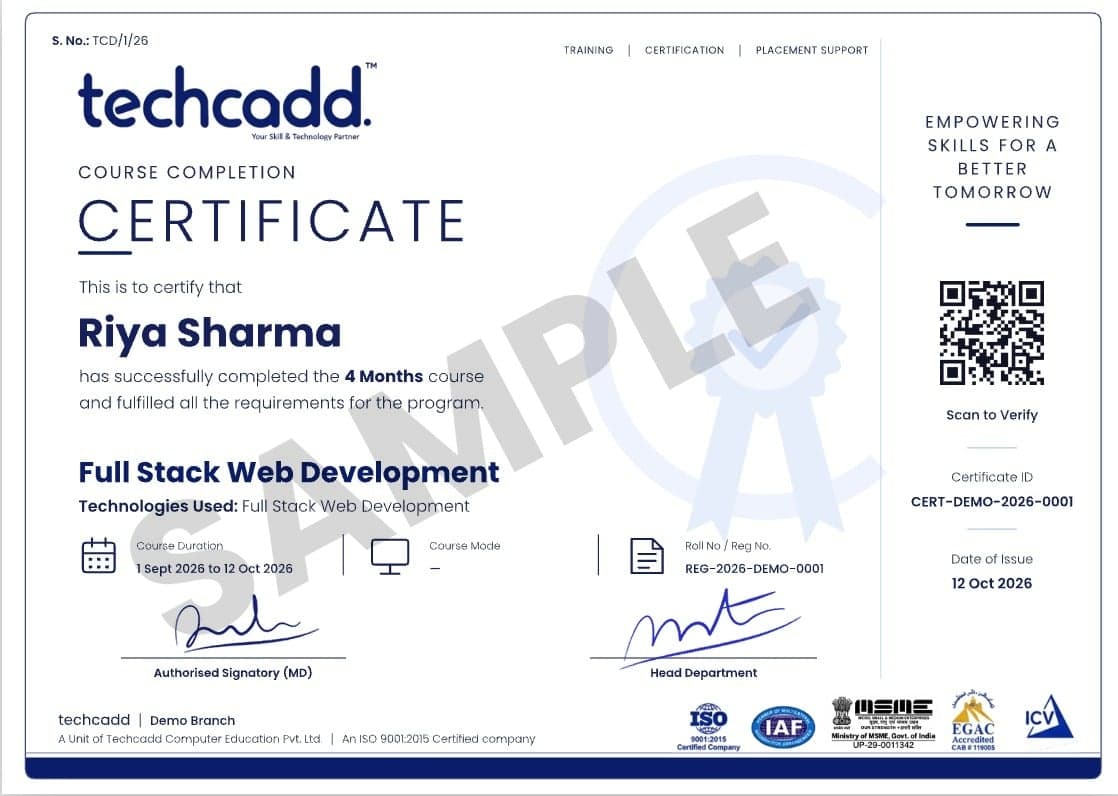
Sample TechCADD course completion certificate
Student Reviews

Heard from our alumni

Rated 4.9/5 by 750+ students on Google.

  • “The MERN course was completely project-based. By the end I had 5 live projects in my portfolio and got placed at a Mohali IT company within a month.”

    Harpreet Kaur

    Frontend Developer · Jalandhar

  • “Mentors explained every concept with real business data. The Power BI dashboards I built during training were exactly what my interviewer asked about.”

    Arjun Sharma

    Data Analyst · Ludhiana

  • “Hands-on labs for ethical hacking were amazing. The faculty helped me prepare for certifications and interviews step by step.”

    Simranjeet Singh

    Cybersecurity Intern · Amritsar

  • “I joined after 12th with zero knowledge. Now I run ad campaigns for three clients. The AI marketing tools module was a game-changer.”

    Neha Thakur

    Digital Marketer · Hoshiarpur

  • “My 6-month industrial training was the best decision of my degree. Real projects, proper guidance and a strong certificate for my university.”

    Rohit Verma

    B.Tech Industrial Trainee · Phagwara

  • “The design course pushed me to build a real portfolio. Weekly feedback sessions made a huge difference to my confidence.”

    Ananya Gupta

    UI/UX Designer · Chandigarh

FAQs

Frequently Asked Questions: UI/UX Design Course

Straight answers on eligibility, batches, certification and placements.

Still have a question?

Counsellors are available Mon – Sat: 9:00 AM – 7:00 PM.

What is a UI/UX design course?

A UI/UX design course teaches you how to design digital products, such as apps and websites, that look good and are easy to use. UI (user interface) covers the visuals, like layouts, colours and typography. UX (user experience) covers research, user flows and testing. You learn both, along with Figma and prototyping, through practical projects.

Who is eligible for the UI/UX design course?

Anyone with basic computer skills can join, including graduates, postgraduates, working professionals, job switchers, freelancers, business owners and 12th-pass students. No design degree or coding knowledge is required, because the course starts from fundamentals.

What does the UI/UX design syllabus include?

The syllabus covers design thinking, user research, information architecture, wireframing, visual design, Figma UI design, prototyping, design systems, usability testing, developer handoff and portfolio building. The full module-wise breakdown is listed in the curriculum section above.

Which tools will I learn in this course?

You will mainly learn Figma, along with FigJam or Miro for brainstorming, basic Adobe Photoshop and Illustrator, usability testing tools and accessibility checkers. The focus is on design thinking that carries over to any tool.

Is the UI/UX design course suitable for beginners?

Yes, the course begins with design basics such as layout, colour, typography and spacing before moving to advanced topics. Beginners from non-design backgrounds can follow along, though regular practice outside class helps a lot.

Can I learn UI/UX design online, and is it as good as offline?

Yes, the online mode covers the same curriculum through live classes, mentor interaction and revision support. Offline classes at the Jalandhar centre suit learners who prefer face-to-face guidance. Choose the mode that fits your schedule and learning style.

What jobs can I get after a UI/UX design course, and what is the salary?

You can apply for roles such as UI designer, UX designer, product designer, UX researcher and interaction designer, or work as a freelancer. As a rough guide, fresher salaries in India often fall between ₹2.5 and ₹5 lakh per year. These figures are approximate and depend on your portfolio, skills, city and company. No course can guarantee a job.

Can I do freelancing after learning UI/UX design?

Yes, many designers freelance by designing websites, mobile app screens and landing pages for small businesses and startups. A strong portfolio of case studies and clear communication with clients matter most when you are starting out.

Can students from Himachal Pradesh join a UI UX design course online?

Yes, students from Himachal Pradesh can join the UI UX design course in Himachal Pradesh through live online classes without travelling. The online format also suits freelancers and remote workers in hill areas, who can later offer design services to clients across India.

What are the UI UX designer job opportunities in Punjab and Haryana?

Designers can find roles in startups, IT firms, e-commerce companies, logistics and manufacturing businesses that need better websites, apps and dashboards. UI UX designer jobs in Punjab and UI UX designer jobs in Haryana are also open to remote and hybrid work for companies in larger metros, so a strong portfolio widens your options.

Is the UI/UX design course useful for learners in Jammu and Kashmir?

Yes, learners in Jammu and Kashmir can study online and apply the skills to tourism platforms, handicraft stores, local e-commerce sellers and remote design work. Stable internet and regular practice help online learners get the most from live sessions.

Can learners from Uttarakhand and Rajasthan take this course online and freelance?

Yes, learners in Uttarakhand and Rajasthan can attend live online classes and use their skills to design for tourism, hospitality, jewellery, textile and handicraft businesses. These sectors are moving online, which creates steady freelance demand for designers who can improve booking and shopping experiences.

Is Delhi NCR a good place to start a UI/UX career as a fresher?

Yes, Delhi NCR has one of North India's largest pools of agencies, fintech companies, media platforms and IT firms hiring junior designers. Competition is also high, so a well-presented portfolio is essential for freshers.

Start Your UI/UX Design Career with techcadd

Learn Figma, user research and prototyping through real projects, and build a portfolio that shows your skills. Join our UI/UX design course online or at our centre, with live mentor-led classes, practical case studies and flexible batches for graduates, working professionals, freelancers and career switchers. Book a free demo and see if it fits your goals.

  • Free 1:1 career counselling
  • Attend a live class before you enrol
  • Weekday, weekend & online batches
  • Placement support until you're hired
Prefer to talk? Call a counsellor+91 98881 22254

Book your free demo class

A counsellor will call you within 24 hours.

100% free · No spam · Your details stay private

Tell us your goal. We'll code it into reality.

A counsellor calls you back the same working day.