
Introduction
In the modern engineering, architectural, and manufacturing sectors, Computer-Aided Design (CAD) has become indispensable. CAD allows professionals to create, analyze, modify, and optimize designs with unmatched accuracy and speed. From mechanical assemblies and industrial machines to architectural blueprints and 3D product models, CAD plays a pivotal role in shaping the world around us.
With rapid technological advancement, the demand for skilled CAD professionals has surged. Companies seek individuals who can design precise models, streamline production workflows, and implement innovative design solutions. For students, graduates, and working professionals in Jalandhar, learning CAD is no longer optional—it is essential for career advancement and competitiveness.
Among the leading institutes providing high-quality CAD training in Jalandhar, TechCADD Computer Institute stands out as the best CAD training institute. TechCADD combines theoretical knowledge with practical projects, mentorship, and placement support, preparing learners for successful careers in mechanical, civil, architectural, and industrial design.
This comprehensive content explores the importance of CAD, why professional training is critical, TechCADD’s curriculum, hands-on projects, advanced tools, career prospects, freelancing opportunities, and long-term growth potential.
Why CAD is Essential in Modern Industry
CAD has revolutionized the design and manufacturing processes, offering numerous advantages:
1. Accuracy and Precision
Manual drafting often carries the risk of errors and inconsistencies. CAD ensures high precision, enabling the creation of detailed technical drawings and 3D models that comply with industry standards. This precision reduces material wastage, enhances manufacturing efficiency, and ensures functional accuracy.
2. Time and Cost Efficiency
CAD software accelerates the design process. Modifications, iterations, and revisions can be performed digitally without starting from scratch. This saves time and reduces project costs, enabling organizations to deliver projects faster while maintaining quality.
3. Visualization and Simulation
CAD provides the ability to visualize designs in 3D, allowing engineers and designers to examine components from multiple perspectives. Many CAD tools offer simulation features, helping test structural integrity, stress analysis, and motion before physical production.
4. Cross-Industry Application
CAD is widely used across industries, including:
-
Mechanical Engineering: Component design, machine parts, automotive assemblies
-
Civil Engineering & Architecture: Building designs, floor plans, structural models
-
Electronics & Industrial Design: Product enclosures, PCB layouts, consumer gadgets
-
Aerospace & Shipbuilding: Complex machinery, aerodynamics, and modular assemblies
5. Integration with Modern Technologies
CAD integrates seamlessly with CAM (Computer-Aided Manufacturing), CAE (Computer-Aided Engineering), 3D printing, and simulation tools, enhancing the efficiency and scope of modern design workflows.
6. Career Potential
Professionals skilled in CAD enjoy strong demand and competitive salaries. The skill set opens up roles in design, drafting, prototyping, architecture, product development, and technical consulting. CAD expertise is also essential for freelancers and entrepreneurs in design and engineering sectors.
Why Professional CAD Training is Critical
While CAD tools are widely available, mastering them requires structured training. Professional CAD training offers several advantages:
-
Hands-On Experience: Training with real-world projects ensures practical competence.
-
Industry-Relevant Knowledge: Students learn tools and workflows used in actual companies.
-
Portfolio Development: Completed projects showcase skills to employers and clients.
-
Mentorship: Experienced trainers guide students, ensuring conceptual clarity and problem-solving ability.
-
Certification: Industry-recognized certificates enhance credibility and employability.
-
Placement Assistance: Institutes like TechCADD provide support in securing internships and jobs.
Without proper training, learners may struggle to meet professional standards or leverage CAD software efficiently, which makes choosing the right institute crucial.
What Makes a CAD Institute the Best
When selecting the best CAD training institute, consider:
-
Industry-Aligned Curriculum – Covers 2D drafting, 3D modeling, assembly design, rendering, and simulation.
-
Hands-On Learning – Real-world projects and exercises to build practical skills.
-
Expert Faculty – Trainers with extensive CAD experience.
-
Modern Infrastructure – Labs with high-performance systems and the latest software.
-
Flexible Learning Options – Weekday, evening, and weekend classes for convenience.
-
Internship Opportunities – Exposure to real client projects.
-
Certification Programs – Industry-recognized credentials.
-
Portfolio Development – Professional project showcases.
-
Career Assistance – Resume building, interview preparation, and freelancing guidance.
-
Mentorship – Personalized guidance to maximize learning outcomes.
TechCADD excels in all these areas, ensuring students gain technical expertise, practical experience, and career readiness.
About TechCADD Computer Institute
Vision
To develop skilled CAD professionals capable of meeting industry demands in engineering, architecture, and manufacturing sectors.
Mission
To provide practical, affordable, and career-oriented CAD training that combines theory, software proficiency, and hands-on project experience.
Who Can Join
-
Engineering students
-
Graduates seeking CAD expertise
-
Working professionals aiming to upskill
-
Freelancers and entrepreneurs
-
Hobbyists aspiring for professional CAD proficiency
Core Strengths of TechCADD
1. Industry-Aligned Curriculum
TechCADD offers a structured program covering:
-
2D drafting and technical drawing
-
3D modeling and assembly design
-
CAD software: AutoCAD, SolidWorks, CATIA, Fusion 360, Revit
-
Rendering, simulation, and visualization
-
Mechanical, architectural, and industrial design projects
2. Hands-On Learning
Students work on real-world projects, including machine components, architectural models, industrial assemblies, and product prototypes.
3. Experienced Faculty
Certified instructors with practical CAD experience provide mentorship, ensuring students understand real-world design requirements.
4. Modern Labs
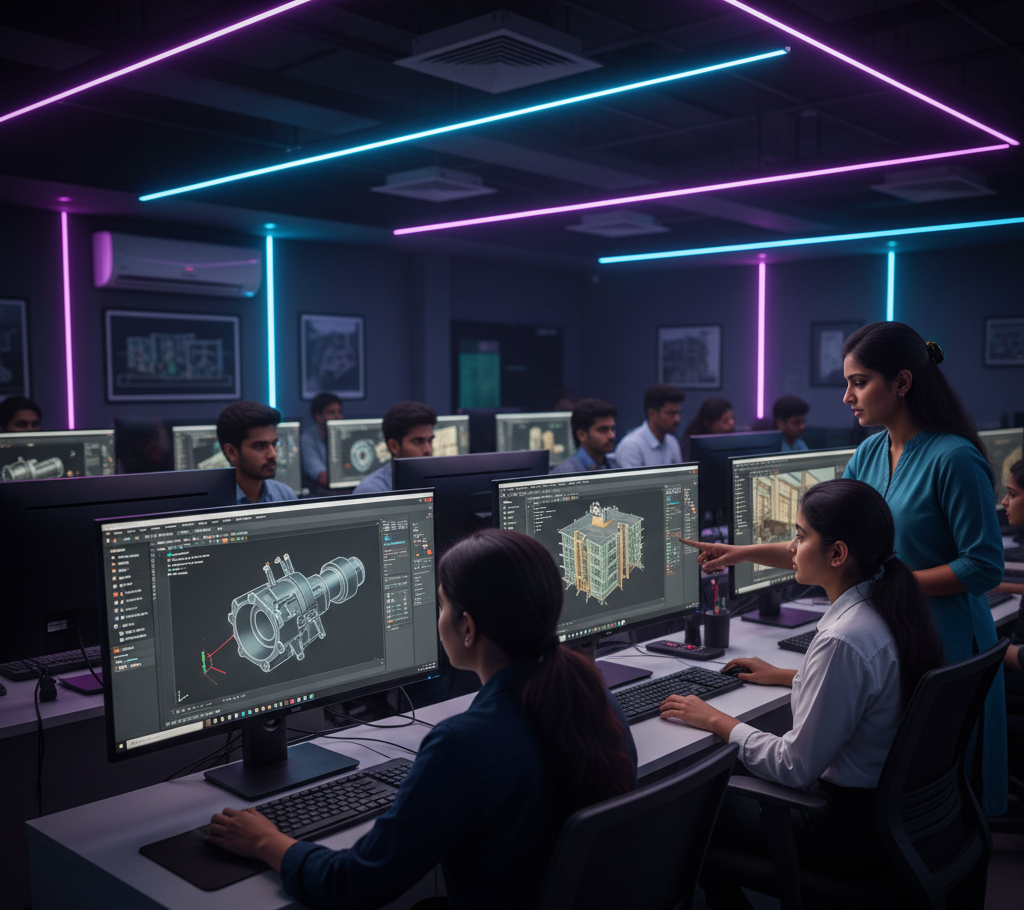
High-performance computers, professional software, and ergonomic workstations simulate professional studio environments.
5. Flexible Batches
Morning, evening, and weekend classes accommodate students and working professionals.
6. Mentorship
Individualized guidance ensures mastery of software, design principles, and project execution.
7. Certification
Industry-recognized certifications validate skills and improve employability.
8. Placement Assistance
Support in internships, freelance projects, and job placements in engineering, design, and architectural firms.
CAD Curriculum at TechCADD
1. 2D Drafting
-
Technical drawings, schematics, and plans
-
Orthographic projections
-
Architectural floor plans and layouts
2. 3D Modeling
-
Solid modeling and parametric design
-
Assembly design and component integration
-
Surface modeling for industrial products
3. CAD Software Proficiency
-
AutoCAD – 2D drafting and layouts
-
SolidWorks & CATIA – Mechanical and product design
-
Revit & ArchiCAD – Architectural modeling
-
Fusion 360 – Prototyping and simulation
4. Simulation & Analysis
-
Structural, stress, and thermal analysis
-
Motion and kinematics simulation
-
Rendering for presentations and client demonstrations
5. Project-Based Learning
-
Mechanical component design
-
Architectural models
-
Product prototypes
-
Industrial assembly simulations
6. Portfolio Development
Students compile projects into professional portfolios to demonstrate expertise to employers and clients.
Practical Learning Methodology
-
Interactive classroom learning for concept clarity
-
Lab exercises for practical application
-
Real-world projects to build experience
-
Case studies for problem-solving
-
Continuous assessment to track progress
Internship & Industry Exposure
TechCADD provides live projects and internships where students:
-
Work on real client assignments
-
Gain exposure to industry workflows
-
Collaborate in teams under professional guidance
-
Learn project management and client communication
Soft Skills & Professional Development
TechCADD emphasizes soft skills in addition to technical expertise:
-
Professional communication
-
Presentation and reporting
-
Project management and teamwork
-
Client interaction and workplace readiness
Freelancing & Entrepreneurial Opportunities
CAD skills open opportunities for:
-
Freelance design projects
-
Consulting for product design, manufacturing, and architecture
-
Starting a personal design studio or engineering consultancy
-
Offering prototyping and modeling services to clients
TechCADD provides guidance on client handling, project pricing, and portfolio building to succeed independently.
Career Opportunities
Graduates can pursue roles such as:
-
CAD Designer
-
Mechanical Design Engineer
-
Architectural Draftsman
-
Product Designer
-
Industrial Designer
-
Freelance CAD Consultant
-
BIM Specialist (Building Information Modeling)
Future Scope of CAD Professionals
-
Integration with 3D printing and additive manufacturing
-
Specialization in BIM, parametric modeling, and simulation
-
Collaboration with mechanical, civil, and product engineering teams
-
Opportunities in aerospace, automotive, and industrial design
-
Freelancing and global project opportunities
Advanced CAD Tools and Software Training
At TechCADD Computer Institute, students gain proficiency in advanced CAD software that is essential for modern engineering, architecture, and industrial design. Learning these tools ensures graduates are industry-ready and capable of handling complex projects with precision and efficiency.
1. AutoCAD
AutoCAD is the foundation of most CAD training programs. TechCADD provides comprehensive training in 2D drafting, technical drawing, and layout creation, enabling students to produce accurate blueprints, floor plans, and mechanical schematics. Mastery of AutoCAD is critical for beginners and professionals alike.
2. SolidWorks
SolidWorks is a leading software for 3D modeling, parametric design, and assembly creation. TechCADD trains students in creating mechanical components, complex assemblies, and product prototypes, ensuring they understand real-world mechanical engineering workflows.
3. CATIA
CATIA is widely used in aerospace, automotive, and industrial product design. TechCADD offers training in surface modeling, part design, and assembly management, equipping learners with skills to handle large-scale, intricate projects in professional settings.
4. Fusion 360
Fusion 360 is popular for product design, simulation, and prototyping. Students learn to create functional 3D models, run simulations, and prepare designs for manufacturing. Fusion 360 bridges the gap between design, testing, and production.
5. Revit and ArchiCAD
For students interested in architecture and construction, TechCADD provides Revit and ArchiCAD training. These tools help in designing buildings, creating 3D visualizations, generating detailed construction documents, and performing structural analysis.
6. Simulation and Analysis
TechCADD emphasizes the use of simulation tools to analyze stress, load, thermal effects, and motion in mechanical and architectural designs. This ensures students can optimize designs before production, reducing errors and improving efficiency.
Real-World Projects for Industry Exposure
Practical experience is at the core of TechCADD’s training methodology. Students work on hands-on projects that replicate professional workflows:
-
Mechanical assembly modeling and part optimization
-
Architectural building and floor plan modeling
-
Industrial product prototypes for manufacturing
-
Simulation and stress analysis of components
-
3D visualization and rendering for client presentations
These projects help students build professional portfolios, showcasing their skills to prospective employers and clients.
Soft Skills and Professional Development
TechCADD understands that technical skills alone are not sufficient. The institute provides training in professional soft skills, ensuring students are job-ready:
-
Communication and presentation skills for client interaction
-
Project management and teamwork techniques
-
Report generation and technical documentation
-
Time management and meeting professional deadlines
By combining technical and soft skills, graduates can confidently handle complex projects and interact effectively in corporate and freelance environments.
Freelancing and Entrepreneurship in CAD
CAD expertise opens a wide range of freelancing and entrepreneurial opportunities. Graduates can:
-
Offer freelance drafting and modeling services globally
-
Provide architectural visualization and product design services
-
Start personal design studios or consultancies
-
Work with manufacturing companies, architects, and design firms on short-term or long-term projects
TechCADD guides students in freelancing best practices, project pricing, client communication, and portfolio building, helping them build independent careers.
Career Opportunities for CAD Professionals
Graduates from TechCADD’s CAD program can pursue diverse career paths, including:
-
Mechanical CAD Designer in engineering firms
-
Architectural CAD Drafter in construction companies
-
Industrial Product Designer for manufacturing units
-
BIM Specialist in architecture and infrastructure projects
-
Simulation and Analysis Engineer for automotive or aerospace
-
Freelance CAD Consultant for small and medium enterprises
With CAD skills, professionals can also specialize in areas like 3D printing, reverse engineering, and parametric modeling, making them highly valuable in modern industries.
Future Scope and Industry Trends
The demand for CAD professionals continues to grow due to:
-
Integration with 3D printing and additive manufacturing
-
Use in BIM (Building Information Modeling) for smart infrastructure
-
Development of AI-powered CAD tools for faster design and error detection
-
Expansion into virtual reality (VR) and augmented reality (AR) design
-
Growth of global freelancing and remote CAD design services
TechCADD equips students to stay ahead of these trends, ensuring they are prepared for future industry demands and technological advancements.

Comments
No comments yet. Be the first to share your thoughts!
Leave a Comment